Thursday, March 19, 2009

Process Journal

Week 4:
I have started the keynote again and im gonna make it much better. Just hope that the accident wont occur again ...

Week 3 :
 today something really bad happened. the keynote crashed and we had to start all over again. But i think we have a new strategy, three people work on the keynote (me isaac and rami) and harris and ali work on things like the song. Hopefully this time this keynote wont crash!

Week 2:
 I think we are progressing satisfactorily.... we have almost finished with the keynote, we've made the music but one thing we're lacking is the acting/filming, both for the keynote and the video. I think we should just finish the keynote and just move on to the filming.

Week 1:
We are going to make two things, a video and a keynote.
For the video we are deciding to do some bullying scenes where Rami and Harris are the victims, Isaac and Ali are the Bullies and I'm the Teacher. We basically hope to teach people a lesson that bullying can be very dangerous and that people should stop now or someone could get seriously injured.

Client meeting

Here is my project and this is what it includes:
A Powerpoint about bullieng
A song from garage band
A video that shows bullieng
My blog to show all the work we did!
I hope you Liked all the work we did and please read my blog.

Design

We are going to have two groups. One will work on the keynote and simultaneously, another will work on garage band and the blogs. The keynote we hope, will give the information needed. We are hoping to put the videos into the keynote. And then we might put the song we make in garage band into the keynote. Basically the keynote will be the main product. We are going to put a song into it, and videos to support our information. We are going to use keynote for the presentation, imovie to capture and edit the videos and garage band to make the song.

Evaluation

Our project is not really that complete. We made a keynote on anti bullying. We have a lot of animation and videos and we have all the information. Our project as a whole is pretty good, we have information, videos to explain and a song from garage band. We used our time wisely and had a well thought out working method. What we would do is that we would divide our group into two, one would work on the keynote, one would work on something else like the song or videos or blogs. So we were all contributing to the project in some way. We all also had a well thought out method for the blog. I would do one thing, Harris would do one thing and Ali would do one thing. We got every thing done much faster. We finished everything on time and correctly (hopefully). We worked very well on the project except for one part, because of the absence of two people in our group, we couldn't do the last final video. We worked very well on the videos. We got everything done very quickly and we didn't have to do any editing. We also completed the keynote really quickly after the accident that occured. I think we could have improved by not fooling around with garageband. I think we spent too much time making the song. I think we wouldnt make the garageband song and we might have saved a lot of time. We sould have finished one lesson before today but because we fooled around and two of our members are absent, we cant do it. We had one huge difficulty, the keynote crashed and we had to remake it. We madeit again and realy focused to make it really got in a short amount of time. People liked the song and because they havent seen keynote, the animation were very cool to them. It doesnt really impact us but to the others it was a huge impact because they hadn't seen keynote before, plus garageband.

Screenshots

We have almost finished the keynote but we have to make the final video and two of our group members arent here. Here are some screenshots :

Investigation

The first website is aimed at children. It has a lot of pictures, graphics and games. Everything is colorful and seems fun. The second website is aimed at a slightly older audience. It has far more information than the other website, and not as many graphics. Both of them talk about bullying, but the second website has much more information. The first website, despite the fact that it is for a young audience, it is actually pretty crowded. The second website was well layed out, it had a lot of information in a easy to read layout and the navigation pane was very convenient.

Sunday, March 1, 2009

Planning

We will be starting our new unit, and it's the anti bullying campaign; we will be creating a powerpoint displaying our video on demonstrations and examples of bullying. 

Our actors are:

Harris Nazri: Victim of isaac
Isaac Fermawi: Bully
Ali Abssy: The bully rami
Rami Farhat: Bullied from Ali.

Powerpoint designer:

Hamdan Javeed :::::::::::::::::::]

The video is compulsory and is required thoroughout the presentation, and must be needed to go with the  powerpoint along with the descriptions on notifying people the informations about bullying.

Bullying has occured many times throughtout schools, an act of coolness, show off's and many other to impress the pople in their surroundings, and now this is why we are assigned on researching about this significant mater, to inform other people about the threat of bullying in school, and what you should do when your being involved in some situations as similar as this. 

For now we will be researching a little bit about this topic on the internet, and post some pictures, our power point producer, Hamdan Javeed will be responsible for the pictures and videos being put into the powerpoint and the design when it comes to the presentation. While the remaining four including myself, would be cresting a few videos until it can be out onto the powerpoint. Possible at the same time, we'll be creating some music togo with out power point to attract other people's attention!!

We will  be following the steps of the design cycle and hopefully be succesfull: our plan

Investigate: researching about bullying and take few pictures and observe video samples to immatate it. 

Plan: we asked few teachers we know around the school to do the video and get some more information abosut bullying if they've witnessed it to put more information on the powerpoint and for our acting in the video.

Create: We will then be doing the whole, entire, overall work as planned, and then do some more modifications as we improve our progess in the process of finishing the entire project.

And the very last one:

We evaluate on our overall work and project, and our experiences while we were doing this, and other things that will be relating to to our work on evaluation.

Sunday, February 22, 2009

question

you can use videos to show how bad bullieng is and show it to the bullies in the world so they can actually see how they treat people badly.

Thursday, January 29, 2009

Client meeting


1. Your design and layout of your webpage
My iweb got deleted an i had 5 tabs, i had pictures and info and videos, i worked on it for a long time and i worked for 5 hours. 
2.Your topic and reasearch. what have you done in class?
i did my project and researched the unit by google and wikipedia. it was very hard to find the right information but i also looked for the videos and that was easy but in the end i realized that this was a fun topic.
3.Color, font and the use of multimedia.
green and the front was black and for the use of multimedia i put music and videos and pictures.
4.Does it have five pages?
i will create five pages
5. the features of apple iweb what is working? what is not working in the web?
mine got deleted 

Sunday, January 11, 2009

Reflecting upon websites

Fast cars:
i liked this website because it is easy to control and it is not so crowded and confusing. It is not busy and that is good and it includes multimedia and i personally think that is great.
Red Blood club:
For this website i found good things and bad things, the good things are that it is not busy and it , the bad things are that it has no multimedia, no pictures, no videos it. The website could have been much better if it had all of the bad things in it and that would make the site more interesting and less boring.
HRODC:
I did not like this site at all because it is too busy and crowded and the colors of the text are hard to read and it is confusing and shouldn't have as many things then it does, a site is not good if it is busy and has a million colors it would be too confusing and hard to read which i very much dislike and i think this site is a waste of time because all it has is colors so it is useless and i think this site could improve alot not a little this is the wort site out of all of the site that have been given. 

Saturday, January 3, 2009

I.T Questions


  1. Why is communication so important during an emergency?
  2. What forms of communication have been used during recent disasters e.g Hurricane Katrina, the Tsunami
  3. What essential information needs to be communicated during a disaster or emergency?
  4. What information can be created before the emergency? What information needs to be communicated during the emergency?
  5. What hardware and software is required to be able to communicate online?

1. Communication is very important during emergency because then you can warn people about disasters such as hurricanes and many other natural disasters, you can save many lives with communication during disasters. There are many different types of communication such as cell phone, internet, radio and t.v.
 

Cell-Phone.jpg   radio.jpgimgres.jpgimgres.jpg


2. For Hurricane Katrina, many communication devices were used. T.v, cell phone, internet, radio and sometimes family members told people. 
imgres.jpgimgres.jpg
3. Disasters like tornado, hurricane, sand storm and other things should be strictly warned, they should warn people about these disaters before they happen because then they have time to escort the area.

imgres.jpgimgres.jpg


4. Information told by radio like hurricane and natural disasters will happen soon this is a warning. and many other ways can be told.
   radio.jpg
5.  Space for the computer to download all the requirements that are needed to to the process download. And enough Gb of ram for the speed of the internet.

Sunday, November 30, 2008

How Natural Disasters can be helped by technology

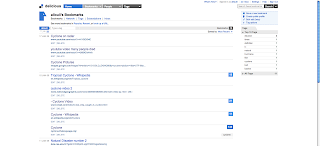
Natural disasters can be helped by technology, it can be helped by flicker. It can also be helped by youtube because if a hurricane for an example comes then someone can take pictures and videos to put on the news so the people that live in that area can be warned instead of disasters happening and people dieng. This is how technology can be helping disasters. Another good site is called DELICOUS...in delicous there is a big range of pictures and alot of people are members so then you can put a warning so people can be aware..here are some pictures 
imgres.jpgimgres.jpgimgres.jpg


Saturday, November 29, 2008

Design CYCLE


In the design cycle you have to do certain steps and do them in order to make something like a robot. the first step of the design cycle is investigate, in the investigate we looked at robots. we found a various amount of information while we were looking at the investigation. the next step of the design cycle is planning, when you are planning you just find how and what you are going to create, then the next step is creating what you planned and because you investigated and planned you are now ready for the create. the last step of the design cycle is evaluate, in the evaluate you just reflect on the disadvantages and advantages of the whole project you are creating and you can also say what you have learnt and how it is useful in life.

Saturday, November 22, 2008

Evaluation and Reflection


What worked well in this project?


Many things worked well in this projects. For an example, making win logo codes was very successful and we made, 2d, 3d and animations.


What did not work in this project?

There where some things that did not work well in this project and one of those things are, making programs for the robots that we where asked to do, another thing that did not work was robot lab, robot lab had a glitch was that we couldn't program a robot to do what we want the robot to do.


What could be improved?


Things in this project can be improved like the way you do things on the wiki spaces site, because may times it was lagging, and it is much harder to use unlike Microsoft word.


How can these things be improved?


Maybe the wiki spaces site can be changed so it is much easier to make blogs on the wiki space site. Changing the font and size was very confusing so if it was similar to the word Microsoft document. There should also be a save button because there where many times in the past where i lost most of my work, there is a save button but again the wiki spaces site is very slow and it is confusing when it asks me to recover a draft because either way you would loose your work and that is one of the biggest problem. there also is not a spelling check button and sometimes that is very useful because sometimes when people read the wiki we mean something and people don't understand something and plus, people are usually making mistakes on the wiki and other things will come up. one of the biggest problems on wiki is PUTTING PICTUES AND VIDEOS! that takes a very long time and it is confusing!


Monday, October 20, 2008

Reflection for investagation

For the past 10 days we have started a new unit that was all about robots and how to make one. at the beggining we started at figuring out what a robot is made out of. For that i wrote some information such as A robot is a machine that neds power that can go into places that a human cant.an example to proof that is it can stay underwater for as long as it can.a robot is a autonomous machine that doesnt neeed food but it needs power.it also can be useful because it doesnt need to sleep but humans need to.another good thing about robots is that if you own a car company you dontneed to pay for the four things that make up a robot which are actuators,power, sensors and it needs a proceser. anothr thing i wrote is the three things of what robots are made up of, those three things are: Sensors are to inform about the environment and to let the robot know where to go.there are alot of diferent types of sensors such as line sensor, a line sensor only follows lines andsometimes it can get trapped inbetween a circle of lines.
Power:these are the wheelsA robot needs a battery so it can work, therefore the battery can besolar powered and energy powered but it will still make the robot moveso it can do what it needs to.Actuators:this is just control gear, levers, wheels, pulleys, and other outputdevices to keep the job going and done.Processorsthe processors can control the robot and basically tell the robot what action toperform depending on the sensors. it can be proximity sensors or white line sensors. disadvantges and advantages are:

  • Advantages
    that robots can go to places where humans cant go such as underwater and in space such as the mars rover.
    they can work with acuracy
    they can work as long as they have batterys
    they can work for a long time and you dont have to feed them
    they can work very quickly
    they can give people jobs such as when they controll it people can process them and deighn them there is a certian quality
    products will turn out the same and there wont be differences

  • Disadvantages
    people will lose jobs
    they are expensive
    sometimes malfunctions
    needs lots of care
    very sensitive robots
    there won t be anything rare or uniche
    some people will lose money

Tuesday, May 27, 2008

Evaluation:

The design of our project made it better because with the animoto it looks like a professional video instead of a normal slideshow it is also more entertaining. A weakness of the presentation is that if the voice thread was public then you could not view it on your blog. An other weakness is that when the animoto stops it sometimes stops in a bad time which made our project worse. Strength for this project was that if you didn’t get an of information then you explain so much on the voice thread and then you can get a better mark on the presentation. The last strength was that you can go to your blog and put it on there for other people to see. It could have been improved by giving more information about how it could have been educational in a class room. I would recommend other students to do this unit because first it shows you how to use animoto and voice thread for other reasons. But I would also recommend only doing the voice thread and making it around 10 minutes long so they can have the chance of telling all the information they can say because we can’t.

Tuesday, May 6, 2008

voicethread

today we finished the voice thread and we showed the teacher and she made us fix it because there where a lot of problems for an example the pictures where not used in the class.